Excel Automation Toolkit

A modern Python desktop application for cleaning, analyzing, and automating Excel spreadsheets with an intuitive PySide6 interface.

Project Overview

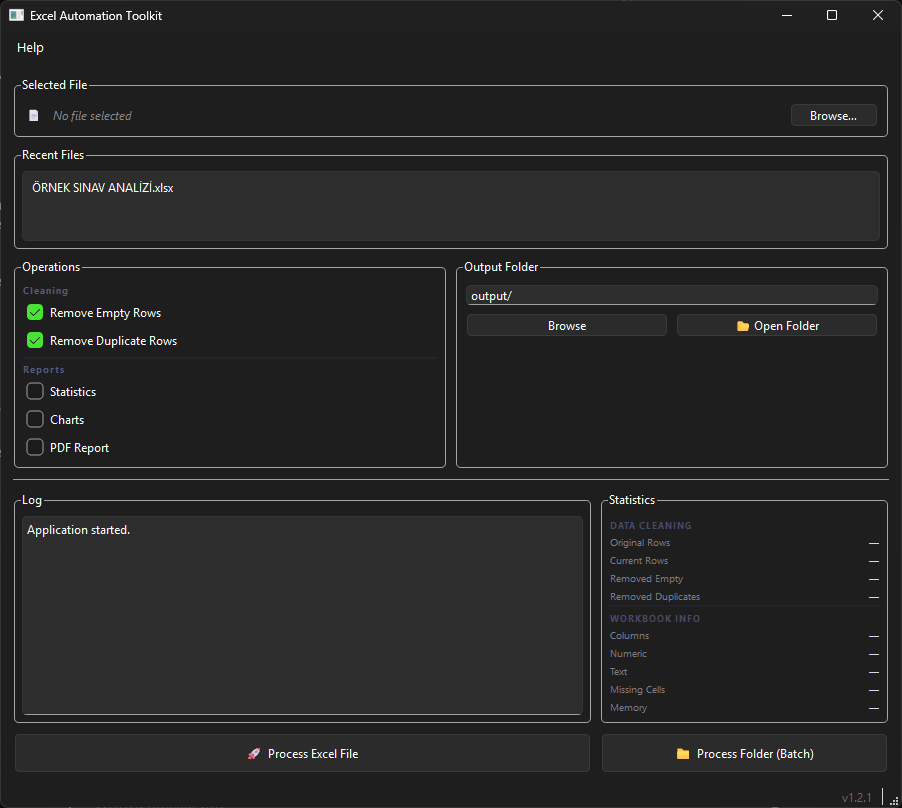
Excel Automation Toolkit is a desktop application built with Python and PySide6 to simplify Excel data processing. It helps users clean spreadsheets, remove duplicate and empty rows, generate statistics, and automate repetitive Excel workflows through a modern desktop interface. The application focuses on productivity, maintainability, and a professional user experience while demonstrating desktop software architecture and automation engineering practices.

Project Highlights

Modern PySide6 desktop interface
Excel data cleaning automation
Duplicate and empty row removal
Spreadsheet statistics generation
Automatic processed file export
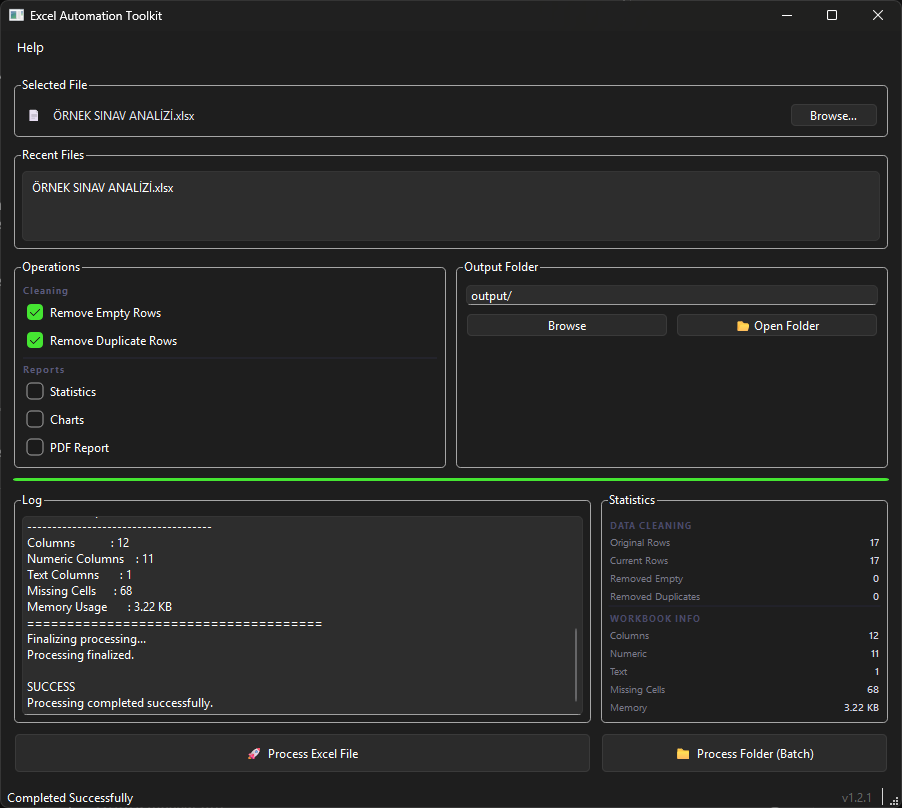
Progress tracking and activity logs
Chart generation support
Modular architecture
Production-ready release workflow
Drag & Drop Support
Recent Files History
Remember Last Used Folder
Modern Statistics Dashboard
Responsive Desktop Layout

Technical Details

Python 3.13 PySide6 Pandas OpenPyXL Matplotlib Object-Oriented Architecture MVC-inspired structure Git & GitHub ReportLab

Project Goals

Reduce repetitive spreadsheet tasks
Improve productivity with automation
Provide a simple desktop experience
Generate reliable Excel reports
Demonstrate desktop software engineering

Key Features

Modern UI
Excel Processing
Automation
Statistics
Charts
Logging
Export
Cross-platform

Technologies Used

Python PySide6 Pandas OpenPyXL Matplotlib Desktop Applications Excel Automation

Screenshots

Excel Automation Toolkit screenshot 1
Excel Automation Toolkit screenshot 2
Excel Automation Toolkit screenshot 3
Excel Automation Toolkit screenshot 4
Excel Automation Toolkit screenshot 5
Excel Automation Toolkit screenshot 6

Contact CTA

Need a similar project for your workflow or business process?

Contact Me

Project Information

  • Versionv1.2.1
  • StatusProduction
  • Updated15.07.2026